
For stall owners
More customers, fewer missed orders.
Put your lari on the map where hungry people nearby can find it. Take orders on your phone while you cook, and get paid straight to your own UPI ID.
- Free to list
- No setup or listing fees
- We help you get set up
How it works
On the map in three steps
All you need is an Android phone and a few minutes.
Step 1: Fill in the form
Your name, phone number, stall name, what you sell and where. It takes less than 2 minutes.
Step 2: We help you set up
Our team gets in touch and helps you set up your stall, menu and UPI ID in the LariLocator app.
Step 3: Orders come in
Customers nearby find you on the map, see that you’re open, and send orders straight to your phone.
What you get
Run your stall from your phone
Big buttons and simple screens, so you can handle orders while you cook.
Never miss a new order
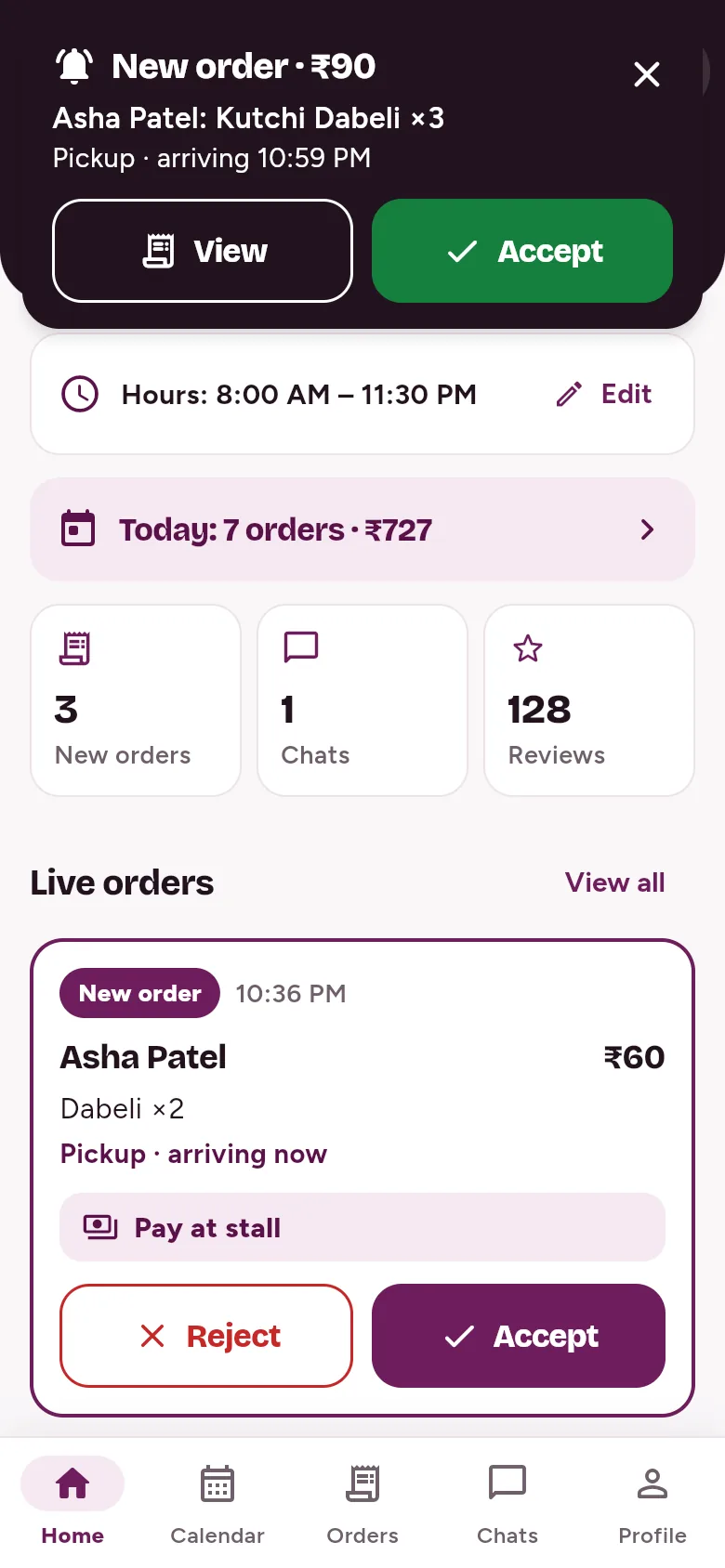
New orders appear instantly with a chime, a vibration and a banner with Accept, on any screen. Push notifications reach you when the app is closed.
Say no, with a reason
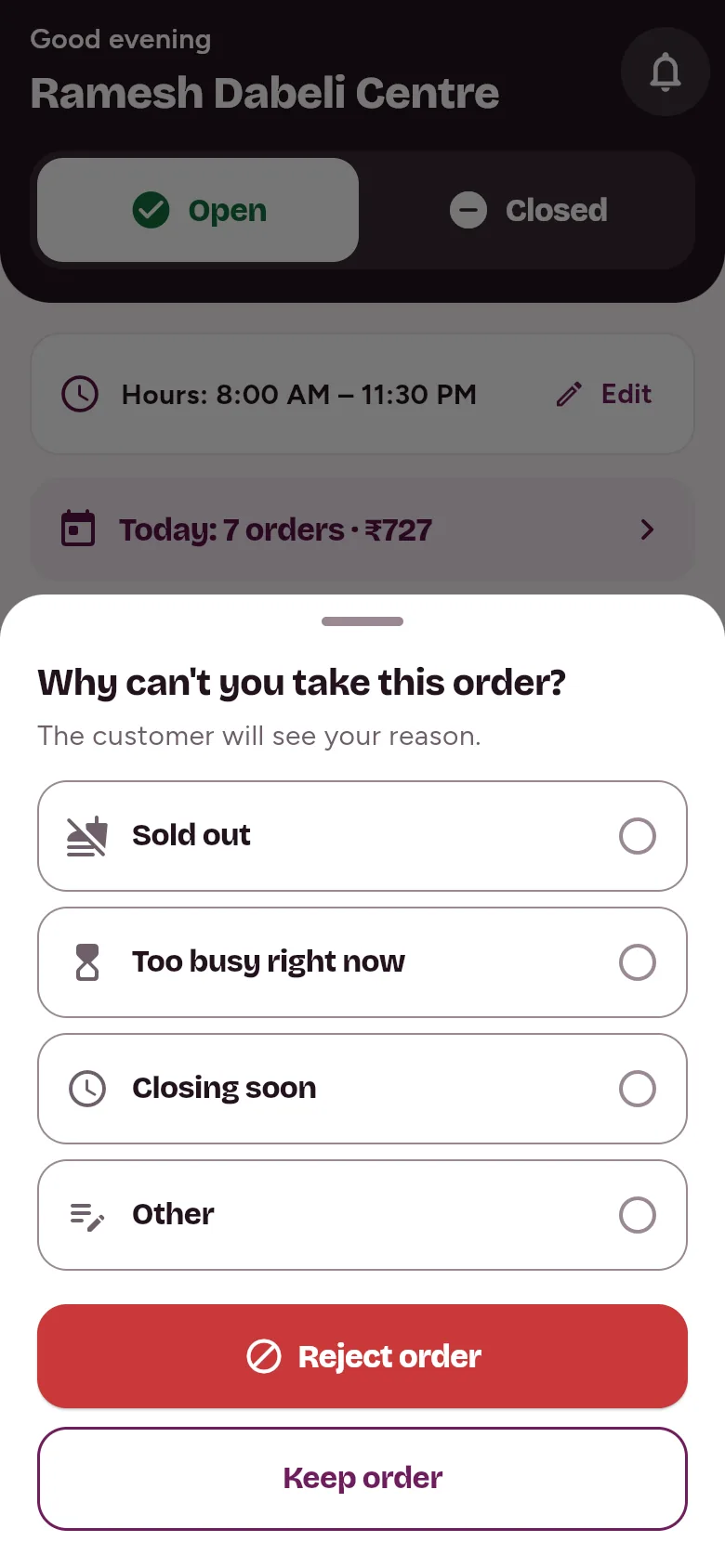
Can’t take an order? Pick sold out, too busy, closing soon or other. The customer sees your reason, so nobody waits for nothing.
Orders, sorted
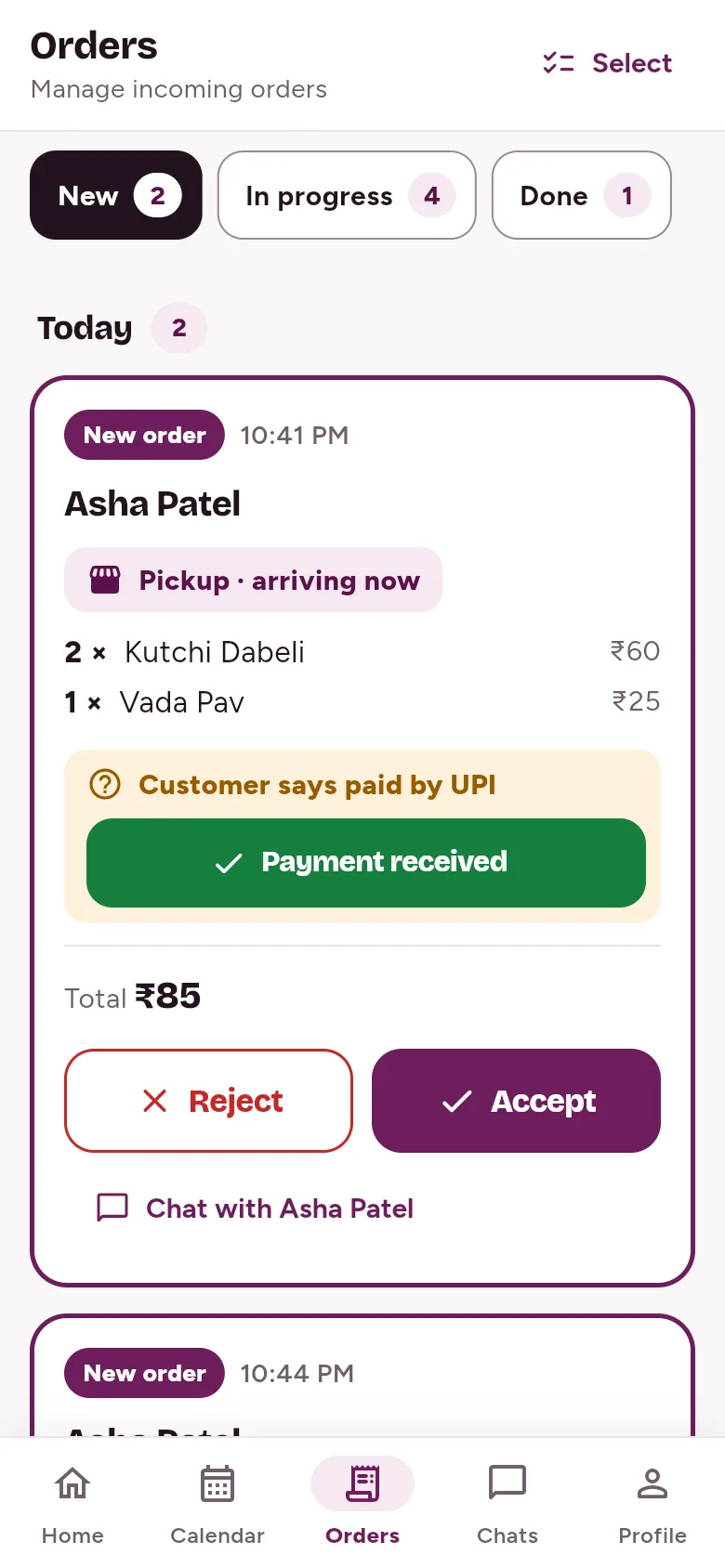
New, In progress and Done. Accept, mark ready and mark completed with a tap. When a customer pays by UPI, tap “Payment received”.
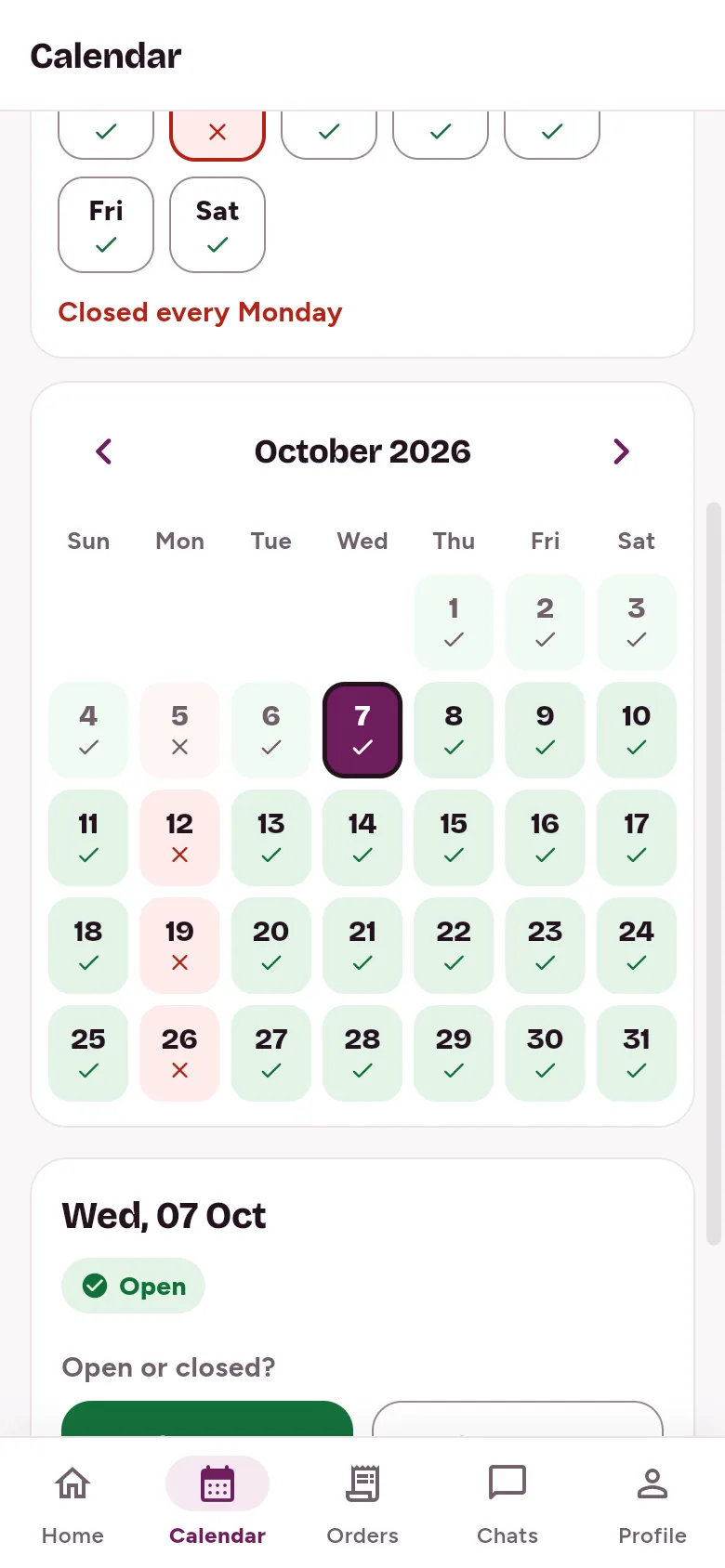
Your days and hours
Mark a day off, set “closed every Monday”, or a different spot for one day. Opening hours with quick presets.
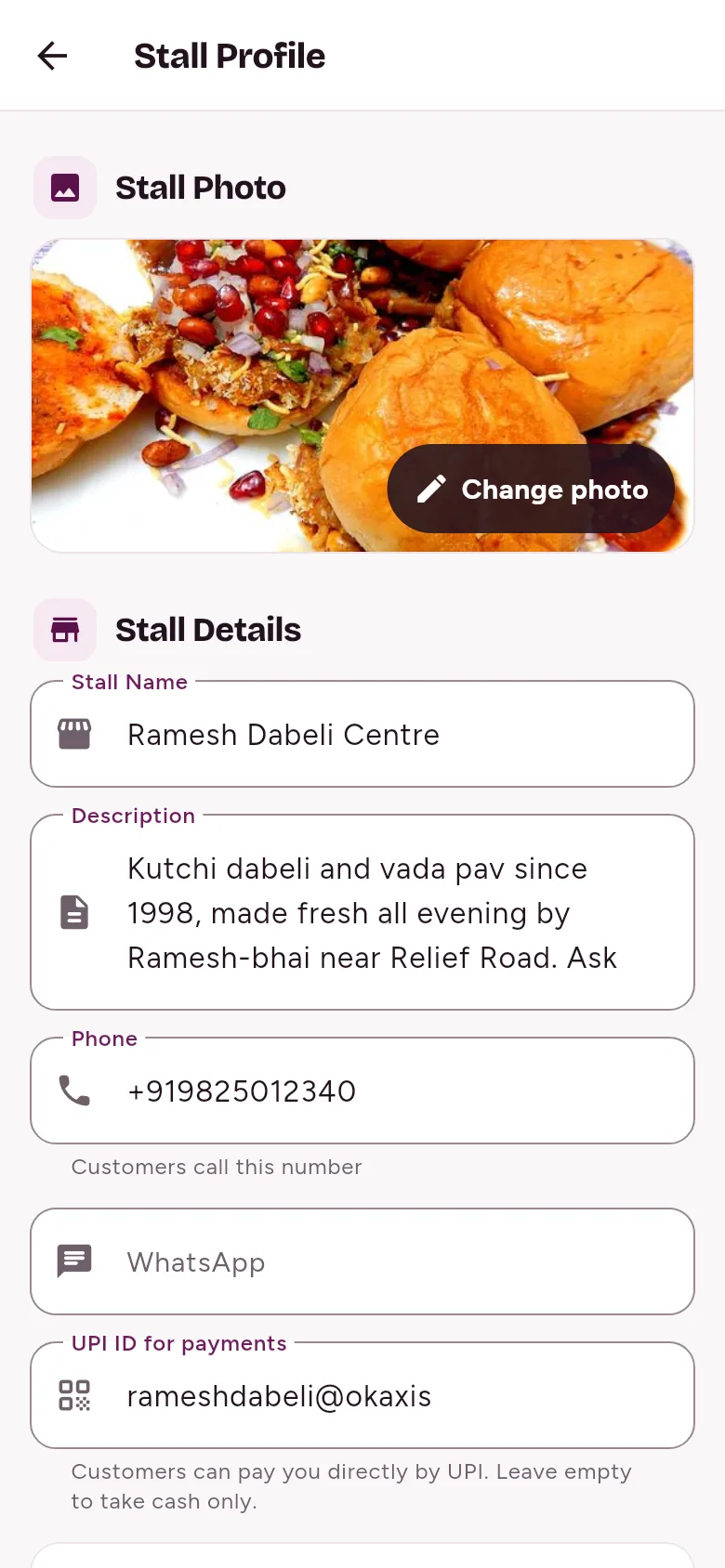
Your stall and menu
Photo, description, phone, WhatsApp and UPI ID. Menu with photos, prices, veg or non-veg, an on/off switch per dish, and drag to reorder.
Today at a glance
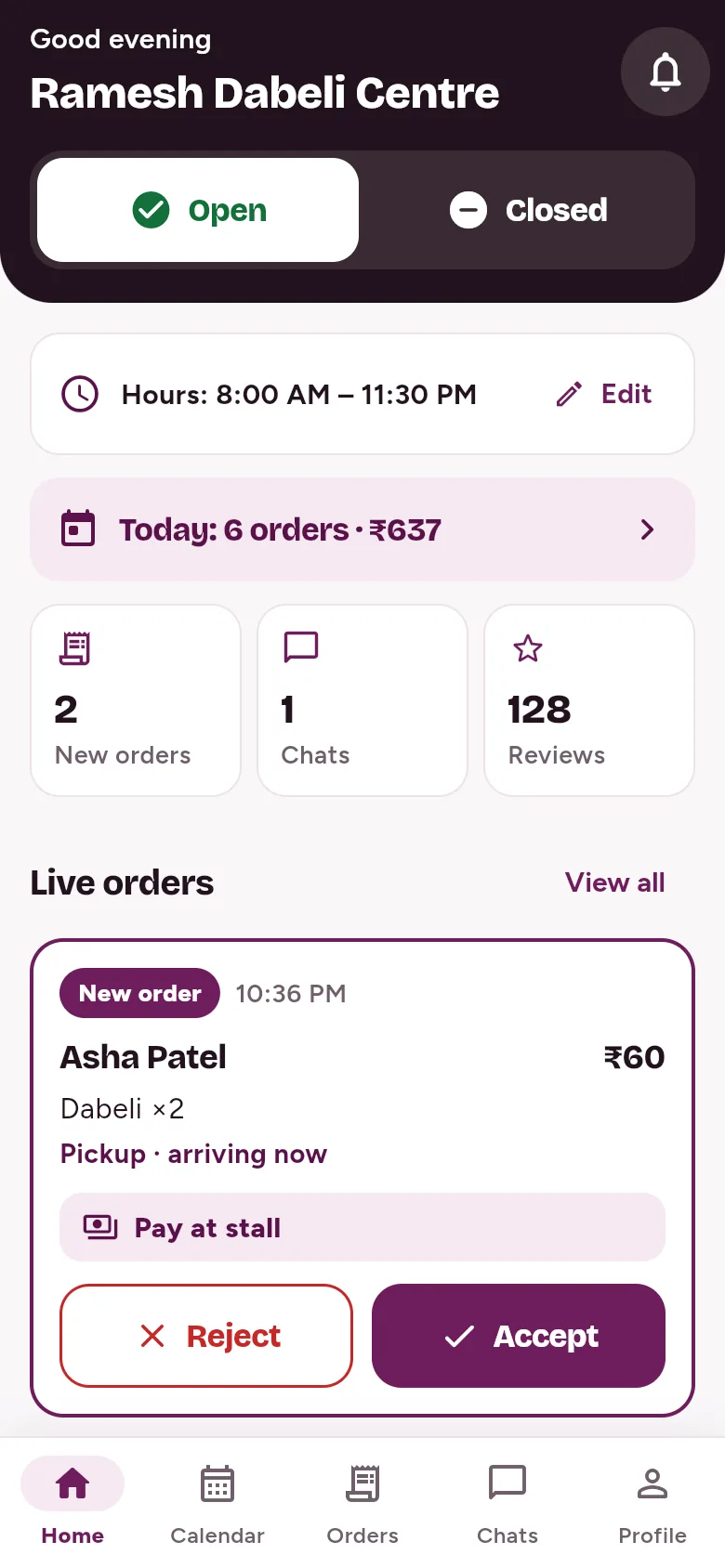
Today’s orders and sales, new orders, chats and reviews, all on your home screen.
Also in the app
- Chat with your customers.
- Read the reviews customers leave after an order.
- Save the spots you work from.
- Delivery by partner riders, where LariLocator has turned it on for your stall.
Payments
Paid straight to you
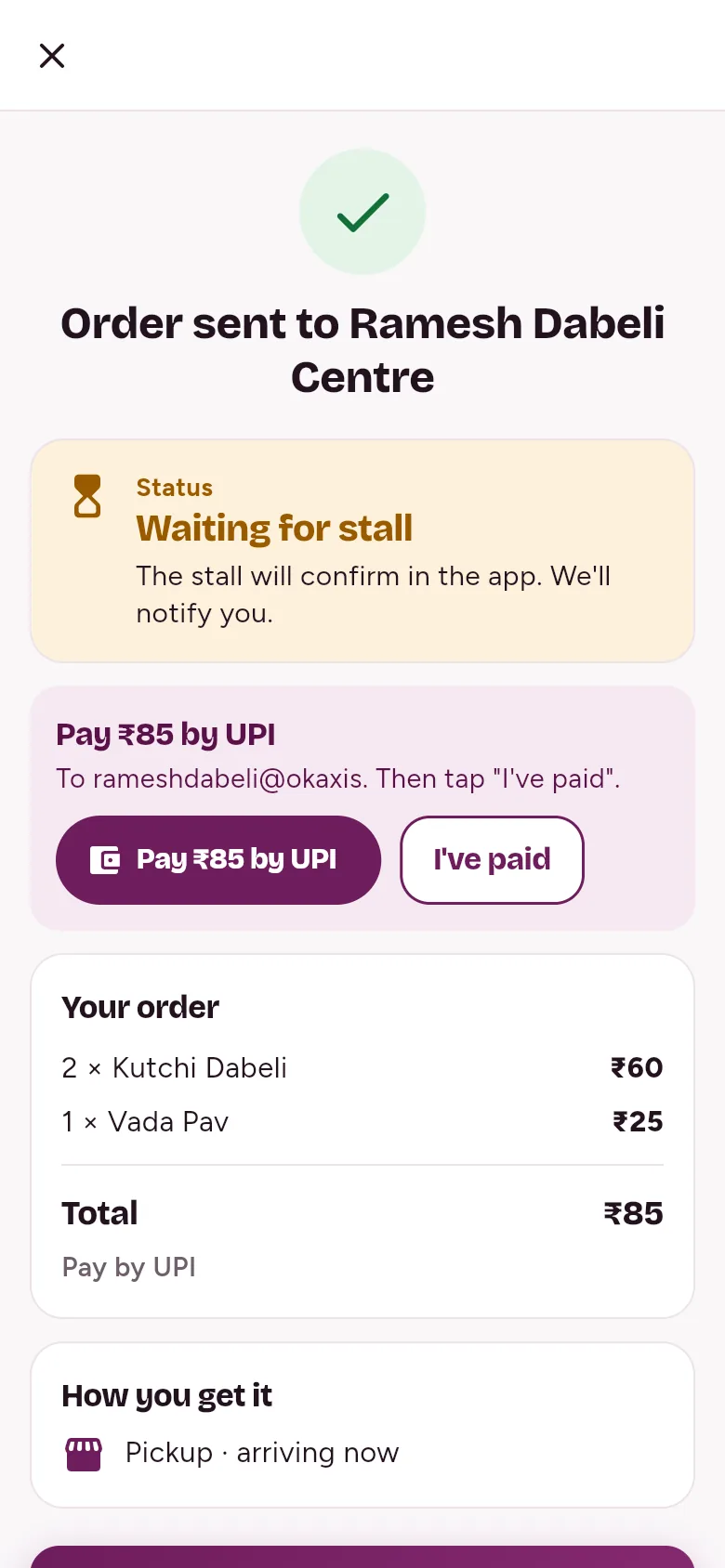
Customers pay by UPI to your own UPI ID. The money comes to you, not to LariLocator.
- Add your UPI ID to your stall profile.
- Customers pay from any UPI app and tap “I’ve paid”.
- You check your UPI app and tap “Payment received”. The customer sees it.
Prefer cash? That’s fine too. Customers can pay cash at your stall, or on delivery.
Questions
Stall owners often ask
Is it free?
Do I need a smartphone?
What if I move my cart?
What if I’m closed on Mondays?
Can customers pay me online?
Do I need my own delivery rider?
How do customers reach me?
Can I say no to an order?
Something else? Ask us
Ready to get your stall on the map?
It’s free, the form takes less than 2 minutes, and our team helps you go live.